
NordVPN – fast VPN for privacy
Nord SecurityTools
4.660.62K Reviews
- Version
- Varies With Device
- Installs
- 100.00M
- Age Rating
- Everyone
Screenshots

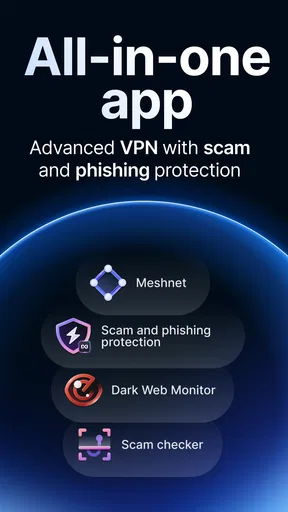
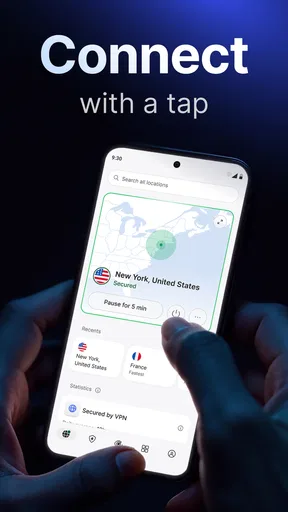
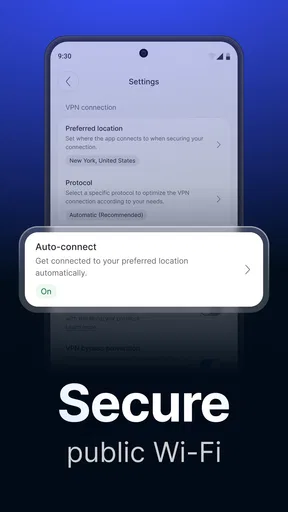
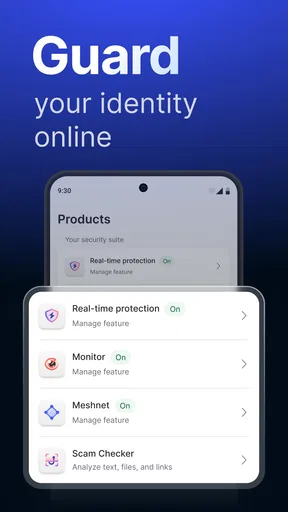
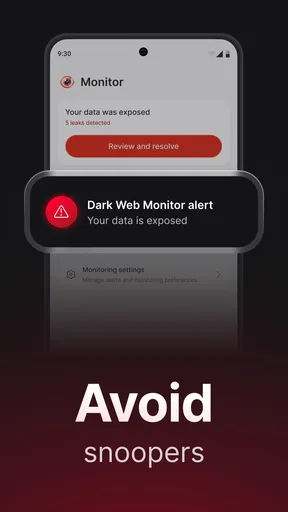
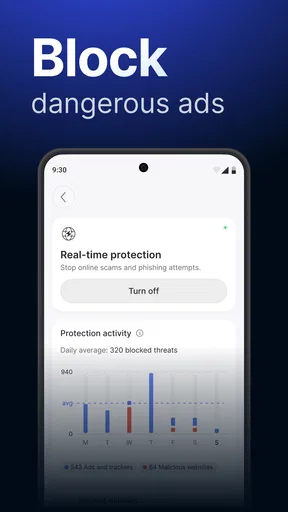
Our Review of NordVPN – fast VPN for privacy
 Analysis by Appyee
I first thought of NordVPN as a tool for people who already know their way around online privacy. After trying it, I found the basic idea much easier to approach: open the app, choose a connection, and let it handle the encrypted route between your phone and the internet. It is a Tools app from Nord Security, and its large audience—over 100 million installs and a 4.6 average from around 1.2 million ratings—suggests that many people use it for routine browsing, not just advanced security tasks. My experience is that the first useful result can be simple: connect before joining a public Wi-Fi network and browse with an added layer of protection.
Getting Started with NordVPN
First things first, downloading and setting up NordVPN is a breeze. I was impressed by how intuitive the whole process was. Once you’ve got it on your phone, the app greets you with a clean and user-friendly interface. No need to be a tech guru to navigate through it. Just a simple tap, and you’re connected to a server from your chosen location. Easy peasy!
What to expect from a mobile VPN
A VPN changes the route your internet traffic takes, and the practical point is that it can help protect your connection from casual snooping on a network you do not control. It does not make every online activity private by itself: account logins, app settings, and the information you choose to share still matter. I treat it as one useful part of safer browsing, rather than an invisible shield that makes every risk disappear.
NordVPN is free to install, though it offers in-app purchases ranging from $2.99 to $199.99 per item. That distinction is worth noticing before you commit: installing the app is not the same as having every paid option at no cost. It is rated for Everyone, but a younger user may still need an adult to understand subscription choices and decide whether a VPN fits their needs.
First setup without overthinking it
For a first run, I would keep the setup uncomplicated. Install the app, follow its on-screen prompts, and use the main connection option rather than hunting through every setting. Once connected, check that the app shows an active VPN connection before opening the browser or another app you want to use. That small habit is more reliable than assuming the VPN is on just because it was opened earlier.
If you are on a familiar home network, there may be no reason to change locations or explore advanced options right away. A nearby server is a sensible starting point for ordinary browsing because it avoids adding a needless detour. If a page or service behaves unexpectedly, disconnect once and compare; that helps you work out whether the VPN route is involved instead of changing several settings at once.
Speed and Performance
One of the first things I tested was the speed. You know how some VPNs can slow your connection to a crawl? Not with NordVPN. I was streaming, downloading, and surfing like a champ. The app uses something called NordLynx technology, which sounds fancy, but all you need to know is—it’s fast. Really fast. I was pleasantly surprised at how little it affected my usual browsing speed.
Still, no VPN can guarantee the same speed in every place and on every network. A weak café signal, a busy connection, or a faraway server can be the real bottleneck. If video keeps buffering, I would first try a closer location and compare it with the VPN turned off, rather than immediately assuming the phone or app is broken. A VPN is most useful when the connection remains comfortable enough for the task; maximum protection settings are not automatically the best choice for every moment.
Privacy and Security
If you’re here for the privacy, NordVPN doesn’t disappoint. They’ve got military-grade encryption, which is a bit like having a digital bodyguard. Plus, they have a strict no-logs policy, meaning they don’t keep track of what you’re up to online. So, whether you’re shopping, banking, or just goofing around, your data stays your business.
My practical advice is to be specific about what you want protected. On public Wi-Fi, I would connect before checking messages, browsing, or handling routine personal tasks. For especially sensitive accounts, I would still use strong, unique passwords and the account provider’s own security options. The VPN adds protection to the network connection; it cannot prevent someone from accessing an account if its password has already been exposed or guessed.
Features Galore
NordVPN packs a punch with its features. From CyberSec to block ads and malicious sites, to Double VPN for an extra layer of security, there’s a lot to explore. Oh, and did I mention the servers? Over 5500 in 59 countries! You can virtually travel anywhere. I had a blast checking out Netflix libraries from around the globe.
There is a trade-off in having several tools available: more choices can be useful, but turning on every option without a reason can make troubleshooting harder. I would start with the standard connection, then try an extra layer such as Double VPN only when the additional routing is worth the possible cost in speed or convenience. Likewise, ad and site-blocking tools can change how some pages load, so if a site looks incomplete, testing with that protection adjusted is a reasonable diagnostic step.
Location switching is best treated as a way to choose a connection route, not as a promise that every streaming catalog or website will work from every country. Services can change access rules and may block VPN traffic. If a show or page does not load, try a different location or return to your normal connection; I would not subscribe solely on the assumption that a particular library will always be reachable.
A realistic first success
Picture arriving at a station with a few minutes to spare and needing to use its public Wi-Fi to check a travel message. I would open NordVPN, connect before opening the messaging app, and make sure the connection indicator is active. That is a clear, low-effort first success: I can use the network while adding a layer of protection to the route my traffic takes. When I leave, I can disconnect if I no longer need the VPN, especially if a local app works better without it.
This workflow also helps explain when the app is a good fit. It suits someone who regularly uses shared Wi-Fi, travels, or wants a straightforward way to route everyday phone traffic through a VPN. Someone who only needs to block ads, on the other hand, may prefer a browser’s built-in controls or a dedicated content blocker. If your main concern is securing one account, improving that account’s password and sign-in protections may be a more direct first step.
Ease of Use
Let’s talk about usability. The app is super intuitive. Even if you’re a VPN newbie, you’ll feel right at home. The Quick Connect feature is a lifesaver, automatically choosing the best server for you. And if you’re feeling adventurous, you can manually select your location. It’s all very straightforward.
For most first-time users, I would make Quick Connect the everyday option and use manual selection only when there is a clear reason, such as wanting a particular country. If an app stops loading or a payment page rejects the connection, switching back to a nearby location—or briefly disconnecting—can reveal whether the VPN is causing the friction. Some services are sensitive to unusual network routes, so having a simple way to compare both states is more useful than repeatedly tapping random locations.
Compared with free VPN apps, a well-known paid service can be appealing if you want a fuller set of tools and a consistent app experience, but the purchase choices mean it is important to check the terms that apply to your account before paying. Compared with doing nothing, a VPN adds a layer of connection privacy; compared with a privacy-focused browser, it works at the network-routing level rather than only changing how you browse. These tools solve different problems, so I would choose based on the risk or inconvenience I actually want to address.
Common points of confusion
A VPN connection does not make you anonymous in every situation, and it does not replace good judgment about links, downloads, or the details you enter into websites. It can also affect how some apps identify your location or trust your connection. If a local service behaves oddly, first check whether the VPN is active and try a nearby server before changing several privacy settings. That keeps the cause-and-effect clear.
Another common question is whether to leave the VPN connected all day. I would base that on the networks and apps I use: keeping it active can be convenient, while disconnecting may help with a service that does not work properly through a VPN. The sensible approach is not to treat one setting as universally right, but to notice when the added routing helps and when it creates a specific snag.
Customer Support
In case you hit a snag, NordVPN’s got your back with 24/7 customer support. I tested it out (for science, of course) and the response was swift and helpful. Whether you prefer live chat or email, they’re always ready to assist.
Before contacting support, I would note what I was doing when the issue appeared: which network I was on, whether the VPN showed as connected, and whether changing location made a difference. That short description is more useful than saying only that “the internet is broken.” If the problem is limited to one app, compare it with a browser or another service; if everything is affected, check the underlying Wi-Fi or mobile connection as well.
Who should choose it—and who might not
I would recommend trying NordVPN if you want a guided starting point and expect to use a VPN often enough to justify exploring its paid options. Its main appeal for a newcomer is that connection and location choices are approachable, while advanced tools are there for people who want to experiment. The app has been available since May 16, 2016, and its broad adoption gives a new user plenty of familiarity in the category, though popularity alone should not decide whether it suits your habits.
I would skip it if you only want a free, one-purpose ad blocker, do not want to consider in-app purchases, or need a service guaranteed to make a specific streaming title available. It is also not a fix for poor Wi-Fi coverage or a substitute for safer account practices. Those are different problems, and a VPN cannot make them disappear.
Final Thoughts
So, there you have it. My deep dive into NordVPN left me quite impressed. It’s fast, secure, and packed with features that make browsing the web a safer and more enjoyable experience. Whether you’re a seasoned VPN user or just getting started, it’s definitely worth checking out. Happy surfing!
My best first step would be modest: install it, connect on a network you do not fully trust, and confirm that the apps you rely on still work as expected. Then decide whether you need manual locations or the extra features. That way, you learn what the VPN changes in your own routine before making it a default. For a first-time user who wants a clear path from setup to a useful connection, that is a reassuring place to begin.
Privacy and Permissions
See what permissions an app requests and how it handles your data.
- Contacts
- read your contacts
- SMS
- read your text messages (SMS or MMS), receive text messages (SMS)
- Phone
- read phone status and identity
- Photos/Media/Files
- read the contents of your USB storage, modify or delete the contents of your USB storage
- Storage
- read the contents of your USB storage, modify or delete the contents of your USB storage
- Wi-Fi connection information
- view Wi-Fi connections
- Device ID & call information
- read phone status and identity
- Other
- view network connections, full network access, run at startup, draw over other apps, prevent device from sleeping, install shortcuts, Google Play license check
Verdict
Strengths of NordVPN – fast VPN for privacy
- High-speed connections for seamless browsing.
- Strong encryption ensures data security.
- User-friendly interface with easy setup.
- Wide server coverage for global access.
- No-logs policy for enhanced privacy.
Limitations of NordVPN – fast VPN for privacy
- Monthly plans can be pricey.
- Limited simultaneous device connections.
- Occasional server disconnections reported.
- Advanced features may confuse beginners.
- Some servers may slow during peak times.
Other Releases by Nord Security
View All
Saily: eSIM + phone number
Travel & Local4.6

NordPass Password Manager
Productivity4.4

HangUp: A spam call blocker
Communication4.4
Similar Picks in This Category
View All
Google LLC4.0

Gboard - the Google Keyboard
Google LLC4.5

Google Play services
Google LLC4.3

Google Play Store
Google LLC4.9

Files by Google
Google LLC4.5

SHAREit: Transfer, Share Files
Smart Media4U Technology Pte.Ltd.4.3
Frequently Asked Questions
What platforms does NordVPN support?
NordVPN is compatible with a wide range of platforms, including Android, iOS, Windows, macOS, and Linux. Additionally, it offers browser extensions for Chrome and Firefox. This extensive compatibility ensures that you can protect your privacy across multiple devices without any hassle.
How many devices can I connect with one NordVPN account?
With a single NordVPN account, you can connect up to six devices simultaneously. This feature allows you to secure all your gadgets—from smartphones to laptops—under one subscription, making it a convenient choice for both individual users and families.
Is NordVPN effective in bypassing geo-restrictions?
Yes, NordVPN is highly effective in bypassing geo-restrictions. It offers thousands of servers in over 60 countries, enabling users to access restricted content and streaming services from different regions with ease. This makes it a popular choice for travelers and streaming enthusiasts.
What security features does NordVPN offer?
NordVPN provides robust security features, including military-grade encryption, a kill switch, DNS leak protection, and a strict no-logs policy. These features ensure that your online activities remain private and secure, protecting you from hackers and surveillance threats.
Does NordVPN affect internet speed?
While using a VPN can sometimes slow down your internet speed due to the encryption process, NordVPN is designed to minimize this impact. It offers high-speed servers optimized for performance, ensuring that you can browse, stream, and download with minimal disruption to your usual internet speed.
